
July 2026 Product Update
BNDRY launches partnership with ConnectID, providing an innovative way to verify customers using their bank account. Risk ratings can now be configured to run automatically for all entity types, and Form Templates and Custom Fields get a new UI builder. We've also refreshed the user interface and improved form submissions in Workspaces.
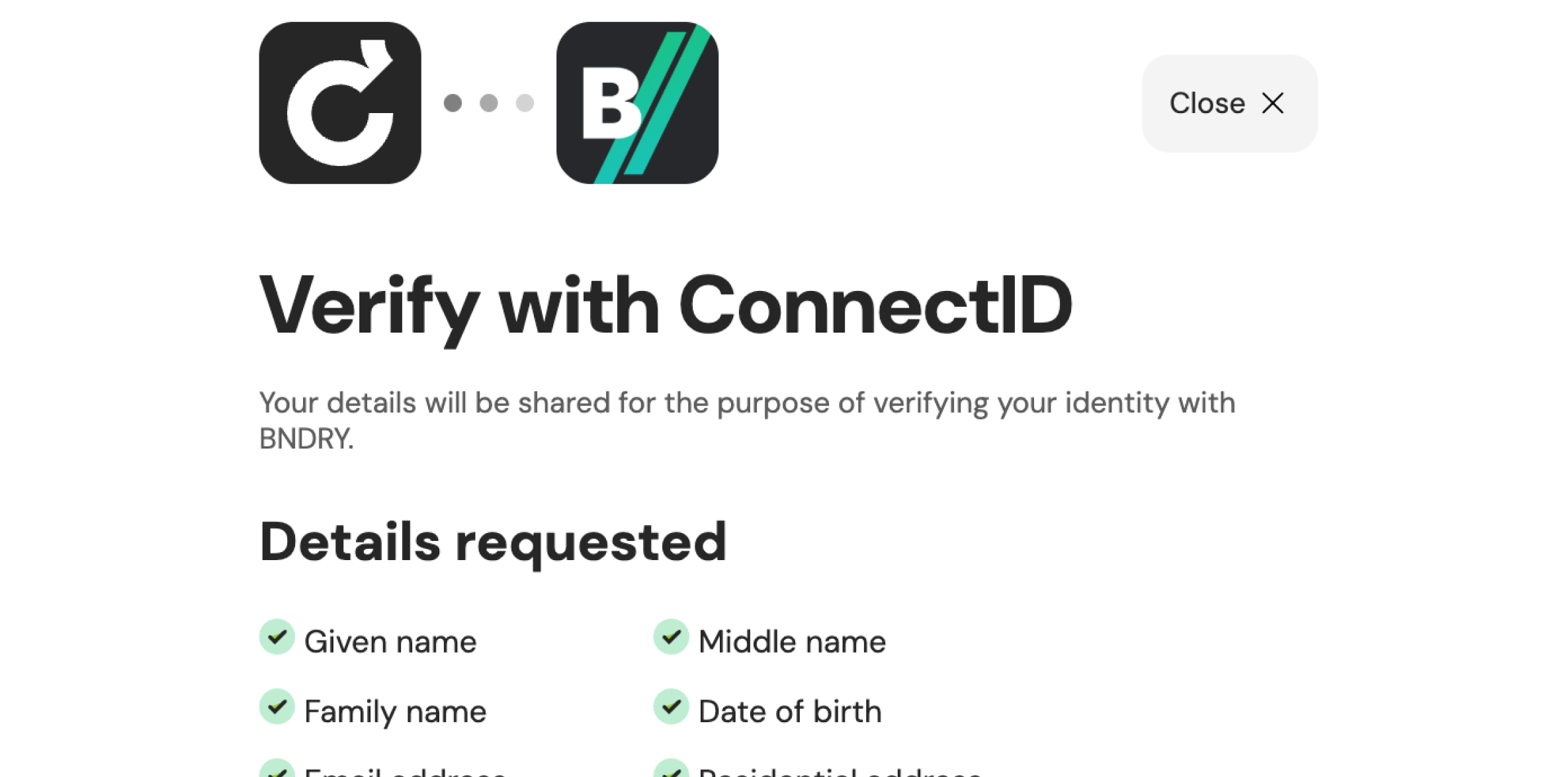
In this month’s update we introduce a host of additional usability improvements that make BNDRY easier and more configurable, including ConnectID as an additional identity verification method, and new rules-based risk ratings for every entity type.
ConnectID now available as an Identity Verification method
Document verification ordinarily asks someone to provide a physical ID to photograph, scan, and verify. With ConnectID, customers of participating organisations can seamlessly prove their identity by authenticating with their existing identity provider (e.g. a bank), and consenting to share details and proof of identity verification they’ve already performed. ConnectID will be available alongside BNDRY’s existing identity verification automations, giving the option to offer another seamless and secure identity verification method.
Improved Submit Confirmation on Forms in Workspaces
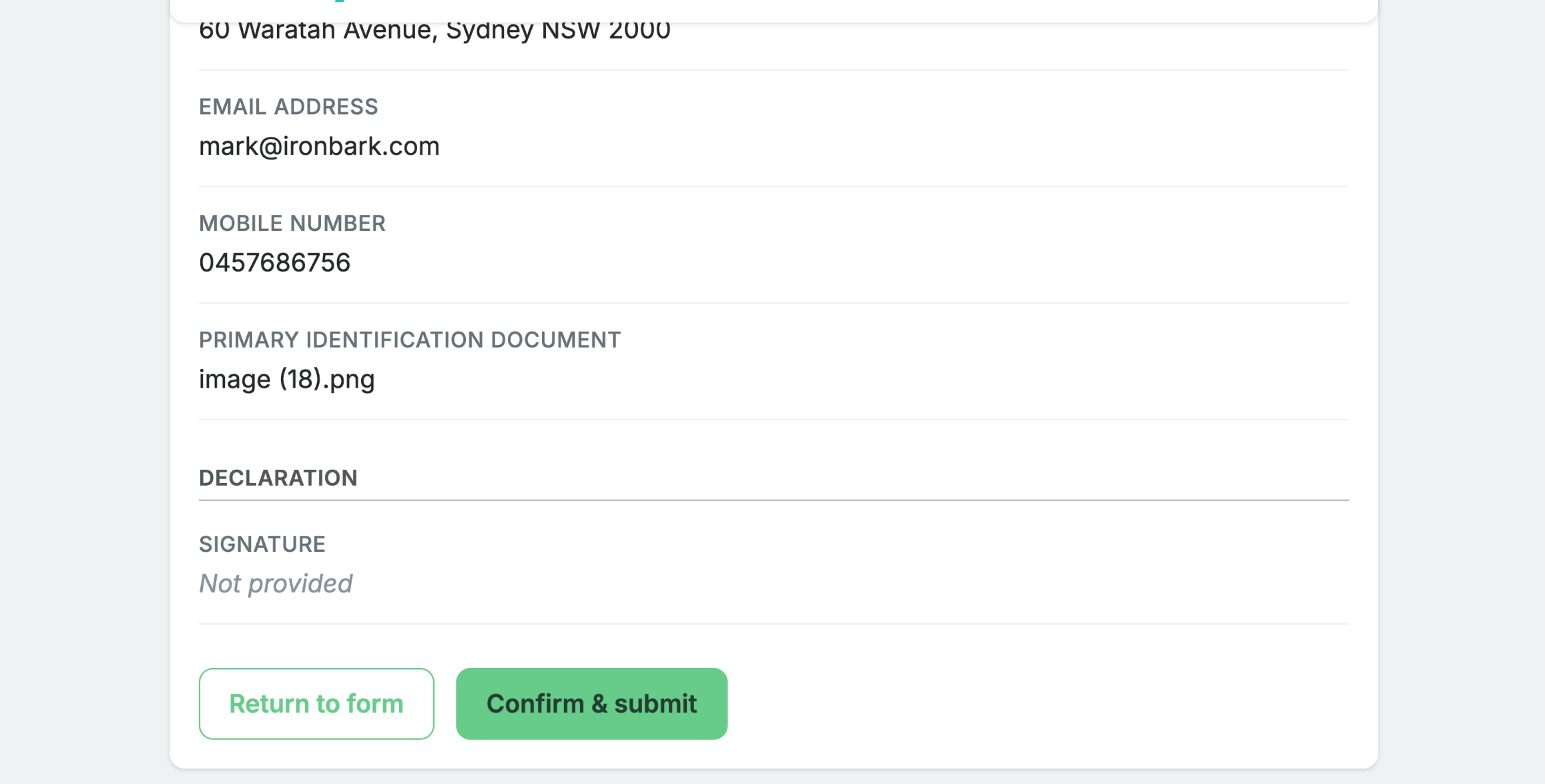
We’ve improved the experience for both internal users and external collaborators submitting responses to Forms. Previously, Form responses in Workspaces could only be ‘Saved’, making the actual completion of the form unclear. Now, Save and Submit actions are separate, deliberate actions. While Forms responses can be saved at any time, responses can only be submitted once all required fields are entered. Before submitting, the form displays a read-only review of everything that’s been entered.
Configure and run Rules-Based Risk Rating for all Entities
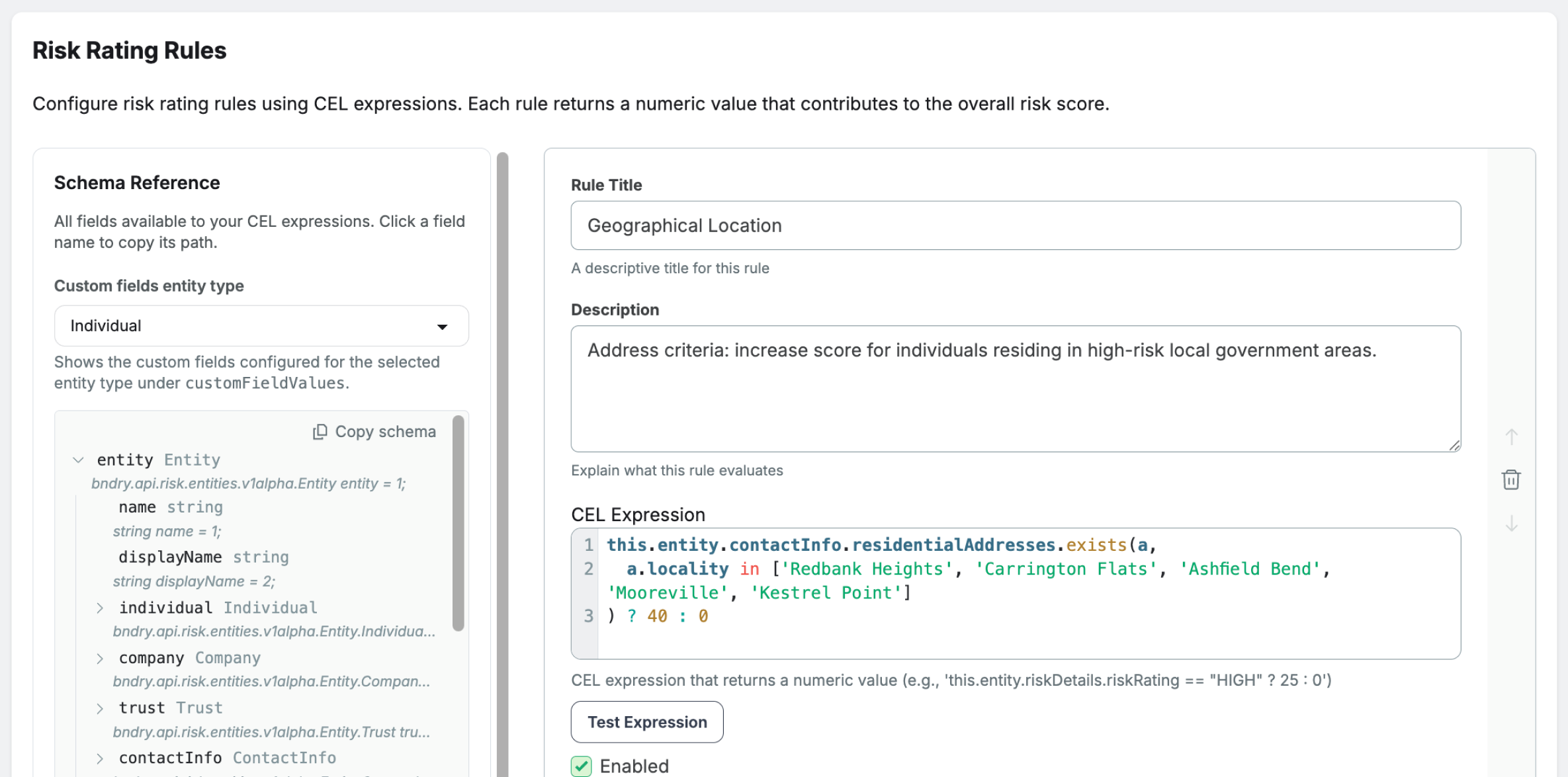
You can now replace your spreadsheet formulas, macros, or completely manual risk-rating determinations, and bring your risk evaluations directly into BNDRY. Risk rating now runs on BNDRY’s own evaluator, with rules configured directly in Settings. You can configure rules that evaluate against the activities logged against an Entity and any of the Entity’s details, including custom fields. Run an evaluation on demand from the Automations button or via the API, across individuals, companies and trusts. Every run writes an activity log showing the previous rating, the new rating and the rules that were evaluated.
An updated user interface
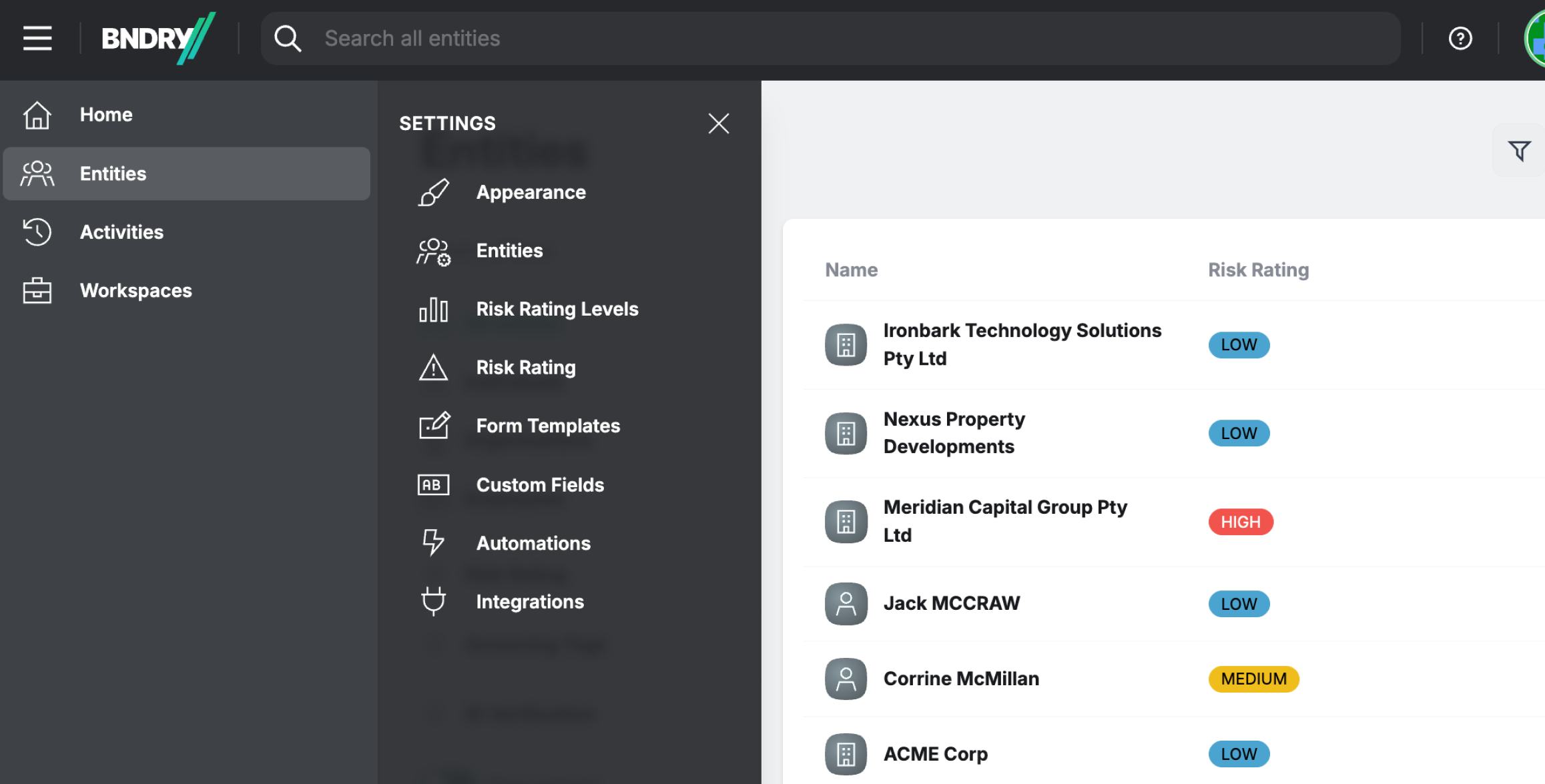
BNDRY’s web app has received a design overhaul. This updated user experience provides more customisation options, easier access to system settings for admin users, and prepares BNDRY for upcoming capabilities for Alerts, Notifications, and Transaction Monitoring. You can now customise the colour of the navigation to match your organisation’s brand, and system settings will now open in a drawer to provide more real estate as more configuration options become available in BNDRY.
UI for creating and configuring Form Templates and Custom Fields
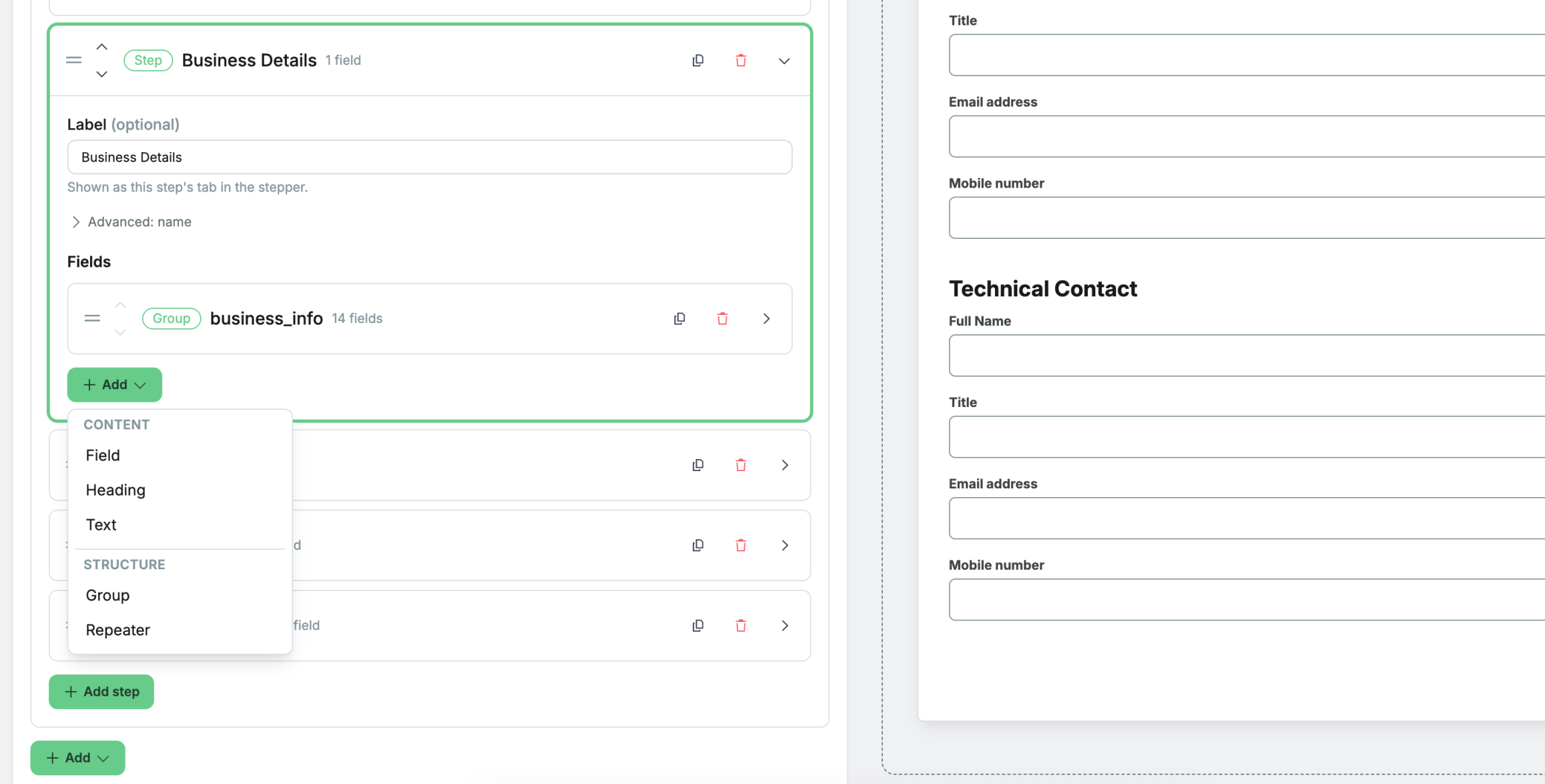
It’s now easier than ever to create and update Form Templates and Custom Fields on the fly. Admin users in BNDRY can now do both in the app with a user-friendly template builder, alongside the existing JSON code editor. The builder supports groups, a rich library of field types, required field validation, and even the definition of basic conditional logic. Advanced configurations are still available through the JSON editor.
Display the Activity Log that a document came from
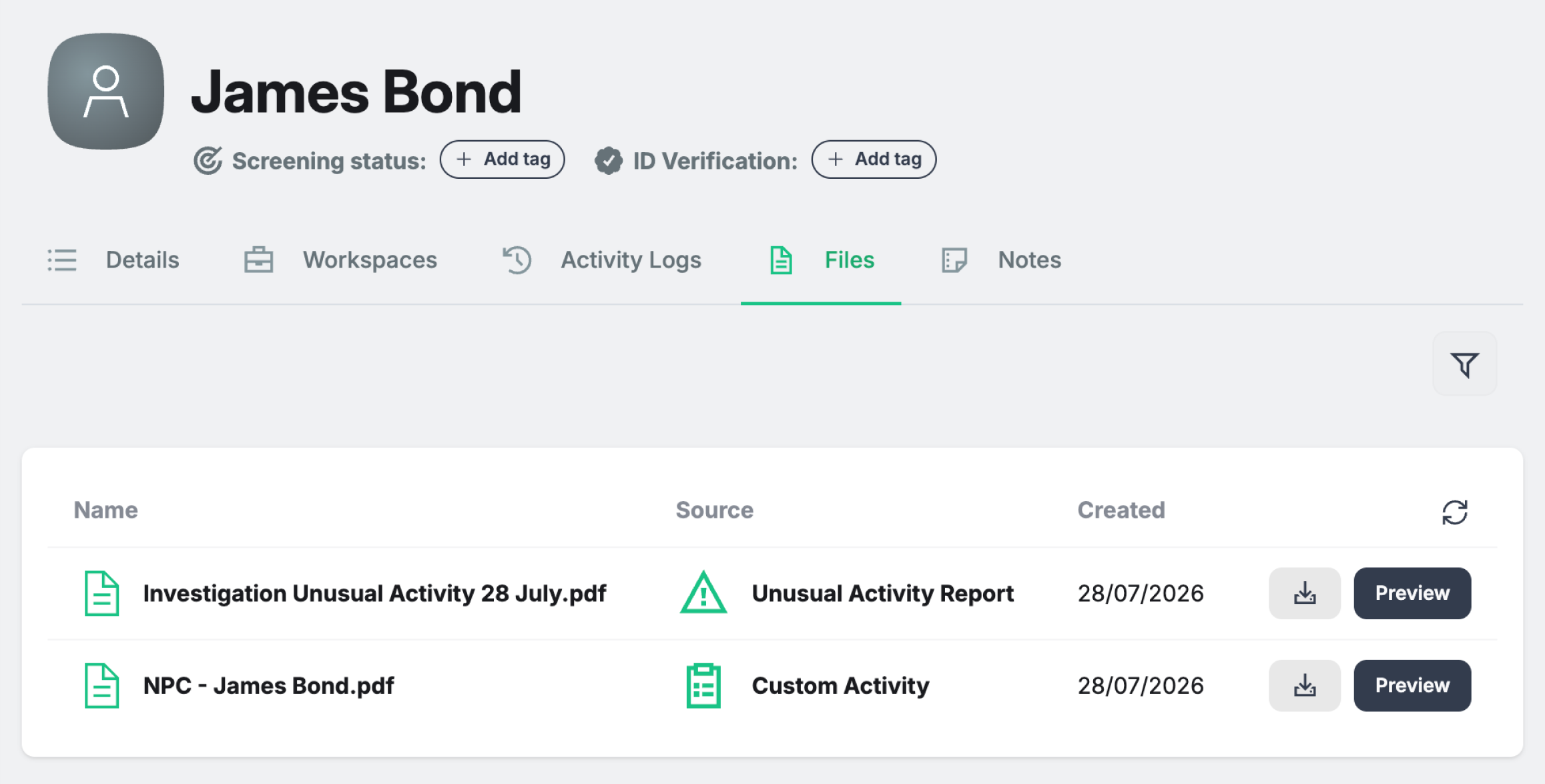
The Files tab against an Entity aggregates all the files associated with that Entity in one place. So whether a file was collected in a Workspace, uploaded to an Activity, or added to the Entity directly, the Files tab allows you to see all files in one place without having to go hunting. Files in BNDRY have now been improved, so that if a file is uploaded directly to an Activity Log, the file displays and links specifically to the Activity Log it came from so you always have the underlying context.